
Understanding Image Quality Adjustment
Route: Usage Tips - [ Understanding Image Quality Adjustment ]Image quality adjustment is supported for both JPEG and WEBP formats, with adjustable quality values ranging from 0.1 to 1.0. A higher quality value results in a sharper image, but also a larger file size. as shown in the figure below, the left image is set at a quality value of 0.1, while the right one is at 0.92.
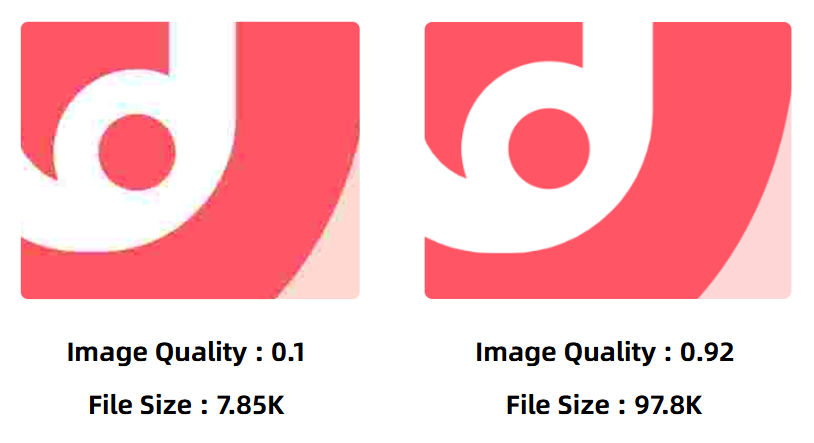
DoingLabel recommend setting the image quality at no higher than 0.92. This is because quality values above 0.92 yield almost imperceptible improvements in image clarity, but lead to a substantial increase in file size, which offers very poor cost-performance.
Additionally, if you need to perform a large batch export without splitting your data into smaller batches, you may switch to JPEG format and lower the image quality appropriately. This method can effectively avoid export failures caused by excessive browser memory consumption.
How to Distinguish Between Image Quality and Image Resolution
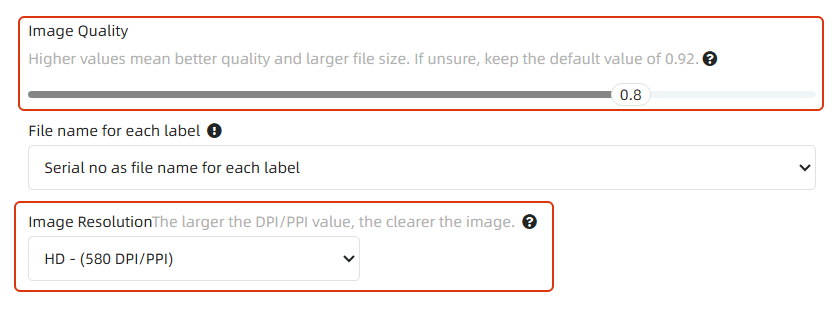
In DoingLabel’s batch export feature, both image quality and image resolution can be configured. Both factors affect image clarity, but they differ in the following aspects:
- Image Quality affects the level of blurriness in image details. As shown in the comparison images in the previous section, an image with a quality of 0.1 appears significantly blurrier in details than one with a quality of 0.92, with abundant noise along color boundaries.
- Image Resolution affects the physical size of the image. The higher the resolution, the larger the image size; the larger the image size, the clearer the printed output.
- Kindly refrain from reposting this article unless you have obtained permission.
- This is a translated article. Should you find any translation mistakes or content errors, please refer to the Original Article (Chinese), which takes precedence.
- Due to ongoing version iterations, the feature details and interface screenshots included in this article may not be updated in a timely manner, leading to potential discrepancies between the article content and the actual product. For the most accurate information, please refer to the features of the latest version.